Yes. You can place an AirTag in checked luggage on a U.S. flight in 2026, provided it meets the federal limits for a lithium-powered baggage location tracker. The Federal Aviation Administration specifically lists AirTags and similar Bluetooth trackers as permitted in checked baggage when their lithium metal content does not exceed 0.3 grams or their lithium-ion battery rating does not exceed 2.7 watt-hours. The electronic feature may remain active at those limits. Check the operating airline’s policy before departure, especially for an international itinerary.
This is mainly a U.S. Department of Transportation and Federal Aviation Administration battery-safety rule rather than simply a Transportation Security Administration rule. Transportation Security Administration screening rules still apply, but the Federal Aviation Administration explains where battery-powered devices and spare lithium batteries may be packed.
Why an AirTag is allowed but a power bank is not
The key distinction is the battery’s purpose and whether it is installed. Apple’s original AirTag and AirTag (second generation), introduced on January 26, 2026, use a user-replaceable CR2032 3 V lithium coin-cell battery. The Federal Aviation Administration identifies AirTags as examples of Bluetooth baggage trackers that may be carried in checked luggage within the smaller tracker limits.
- Lithium metal tracker battery: no more than 0.3 grams of lithium content.
- Lithium-ion tracker battery: no more than 2.7 watt-hours.
A power bank is treated differently because its primary purpose is to supply power to another device. Under federal rules, power banks, portable chargers and loose lithium batteries are spare batteries. They must travel in carry-on baggage, not checked baggage. If airline staff gate-check your carry-on, remove any power bank and spare batteries first, and keep them with you in the cabin.
Protect loose replacement CR2032 cells against short circuit by keeping each one in its original retail packaging, a battery case or another protective pouch. Do not put a loose replacement coin cell in checked luggage.
Smart luggage can cause confusion. A bag with a removable lithium battery generally must have the battery removed before the bag is checked; the removed battery must travel in the cabin as a spare battery. A bag with a non-removable battery may be checked only if its battery is within the much smaller 0.3-gram lithium metal or 2.7-watt-hour lithium-ion allowance. Putting an AirTag inside an ordinary suitcase does not make the suitcase a smart bag.
The broader limits for many installed personal-electronics batteries are up to 2 grams of lithium metal or 100 watt-hours for lithium-ion batteries. Some lithium-ion batteries above 100 watt-hours and up to 160 watt-hours need airline approval. Those broader limits do not override the smaller limits that apply when a lithium-powered baggage tracker or smart-bag feature remains active in checked baggage.
When an AirTag can remain switched on
An AirTag is permitted in carry-on baggage and, when it meets the applicable size limit, in checked luggage. In a carry-on, it can operate normally. If that bag is unexpectedly checked at the gate, a qualifying AirTag may remain inside; remove power banks and loose replacement batteries before handing the bag over.
You do not need to disable a qualifying AirTag in checked baggage. Federal rules normally require lithium-powered portable electronic devices in checked baggage to be completely switched off and protected from accidental activation or damage. However, the rule expressly exempts devices with lithium metal batteries containing no more than 0.3 grams of lithium, or lithium-ion batteries rated at no more than 2.7 watt-hours. It also allows electronic features in checked baggage to remain active within those limits.
AirTag does not have a normal on-off control. Removing its battery disables tracking, so leave the installed battery in place unless the operating airline gives you a specific instruction to do otherwise.
Airline requirements remain important. The Federal Aviation Administration advises passengers to check with their airline, and international requirements can differ from U.S. rules. On an itinerary involving more than one airline, including a codeshare journey, review the dangerous-goods or restricted-items policy for each operating carrier, not just the airline that sold the ticket.
Prepare an AirTag before travel
- Pair it before packing. Add the AirTag to the Find My app and give it a clear name, such as “Blue checked suitcase.”
- Use compatible software. AirTag (second generation) requires a compatible iPhone running iOS 26 or later, or a compatible iPad running iPadOS 26 or later. Install available software updates before travel.
- Check the battery. In Find My, select Items, select the AirTag, and look for a low-battery notice. Replace the CR2032 battery before the trip if necessary.
- Test it. Confirm that the AirTag appears in Find My and can play a sound before you close the suitcase.
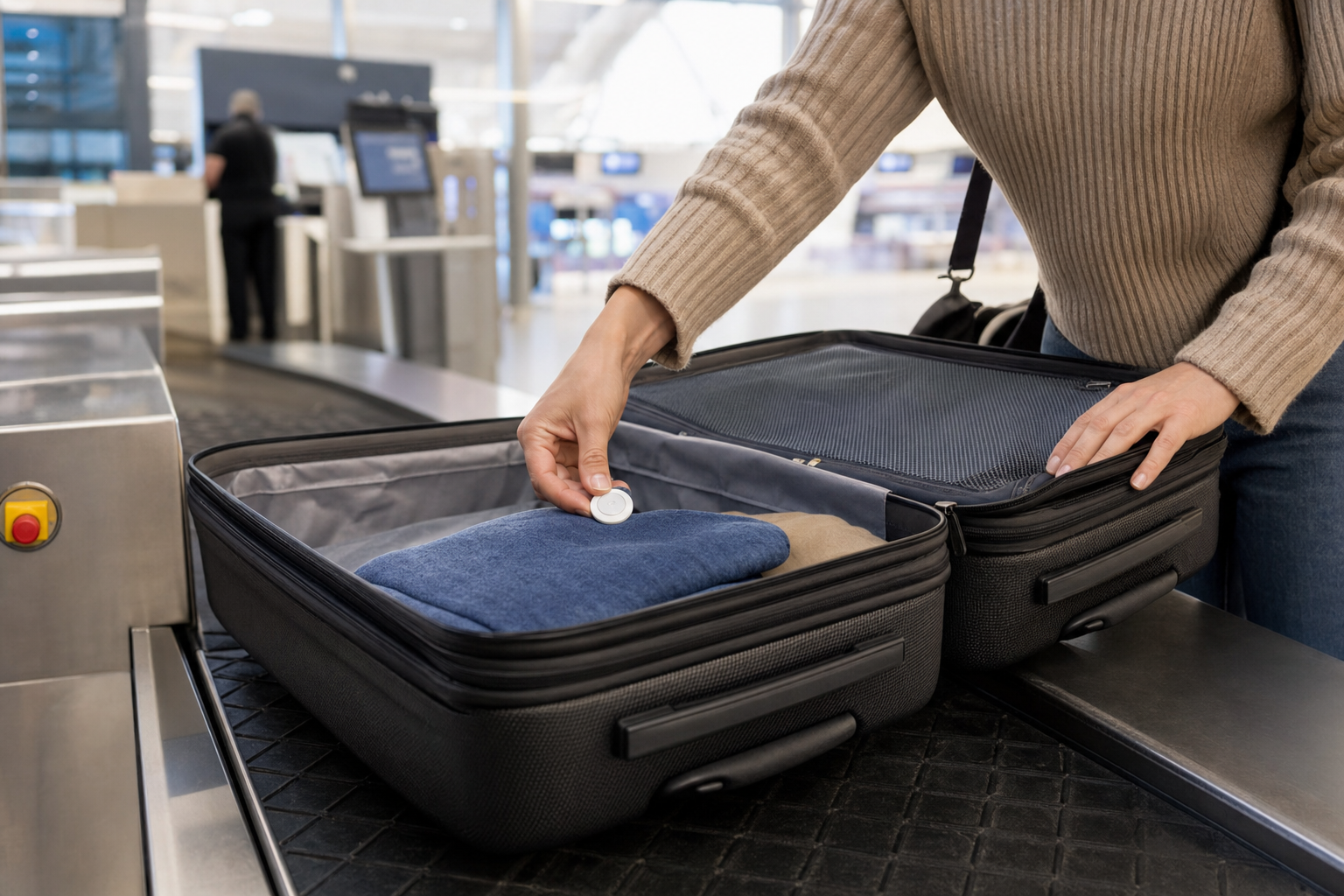
- Secure it inside the bag. Place it in an internal pocket or holder where it is protected and unlikely to fall out. Avoid leaving it loose on an external handle.
- Use ordinary baggage identification too. Keep the airline routing tag on the case, use a durable luggage tag and place contact details inside the suitcase. An AirTag does not replace the airline baggage tag or your baggage-tag receipt.
- Recheck the carrier policy. Review the operating airline’s rules shortly before departure, particularly when connecting internationally.
What to do if your checked bag is delayed
An AirTag does not provide continuous Global Positioning System tracking or airline baggage scans. It uses Bluetooth and Apple’s Find My network: nearby participating Apple devices can detect the AirTag and report an approximate location to its owner. Updates can be delayed, particularly when the bag is inside an aircraft hold or no nearby participating device has an internet connection. Check the location timestamp before drawing conclusions from a displayed location.
If the suitcase does not arrive, take these steps:
- Report the delayed bag immediately. Visit the airline baggage desk or use its approved reporting system before leaving the airport. Keep the baggage-tag receipt and obtain a delayed-baggage reference number.
- Review Find My. Open Items, choose the AirTag and note the displayed location and its update time. Turn on Notify When Found if no current location is available.
- Create a Share Item Location link. In Find My, select the AirTag, choose Share Item Location and follow the onscreen instructions to create a temporary webpage. The option is intended for a lost item, so it may not be available while the AirTag is still near your iPhone.
- Use the airline’s approved channel. Give the link to the airline only through its stated baggage-support process and include the delayed-baggage reference number. Do not send it to unrelated airport or airline employees.
- Provide useful, time-stamped information. Tell the baggage team if the AirTag shows that the bag was last detected at the departure airport, a transfer airport or a delivery facility. Do not enter restricted airport areas or try to retrieve the bag yourself.
- Stop sharing when appropriate. Item-location sharing ends when you reunite with the item, when you stop it manually or after seven days.
Apple states that it has partnered with more than 50 airlines to accept Share Item Location links. Participation does not guarantee immediate recovery: the airline still has to identify, reroute and deliver the suitcase through its own baggage process.
An AirTag is therefore useful supporting evidence, not a replacement for the airline baggage tag, baggage-tag receipt or formal delayed-baggage report. File the airline report first, then share the AirTag information through the carrier’s approved process.
Sources
- Federal Aviation Administration PackSafe Baggage Equipped with Lithium Batteries
- Electronic Code of Federal Regulations 49 CFR 175.10 Passenger and crew exceptions
- Apple Support AirTag second generation technical specifications
- Apple Support Share location of a lost item in Find My on iPhone
- Apple introduces new AirTag with expanded range and improved findability