Yes. You can put an AirTag in checked luggage on flights within the United States, and it may remain active. Federal hazardous-material rules allow checked baggage with an active electronic feature when its installed lithium metal battery contains no more than 0.3 grams of lithium. AirTags use a small replaceable CR2032 lithium coin-cell battery and fit this exception. Pack the AirTag inside the suitcase, keep your bag-tag receipt, and file a delayed-baggage report promptly if the bag does not arrive.
Why an AirTag is allowed in checked luggage
Most battery-powered electronic devices placed in checked baggage must be completely switched off and protected from accidental activation or damage. However, the federal rule has a specific exception for devices with very small batteries: electronic features may remain active when an installed lithium metal battery contains no more than 0.3 grams of lithium, or when an installed lithium-ion battery is rated at no more than 2.7 watt-hours.
That exception covers qualifying baggage-location trackers. An AirTag uses a replaceable 3-volt CR2032 lithium coin-cell battery, so it can remain in a checked suitcase and continue to help locate the bag through Apple’s Find My network.
AirTags do not have an ordinary power button. Removing the battery disables the tracker, so there is no need to remove it solely because the bag is being checked. Do not travel with a damaged AirTag or a damaged, swollen, leaking, recalled or overheating battery-powered device.
Airlines may set additional conditions, and international rules can differ. Check the policy of the operating airline before an international itinerary, particularly when another carrier operates one or more flights.
Where to put an AirTag in your suitcase
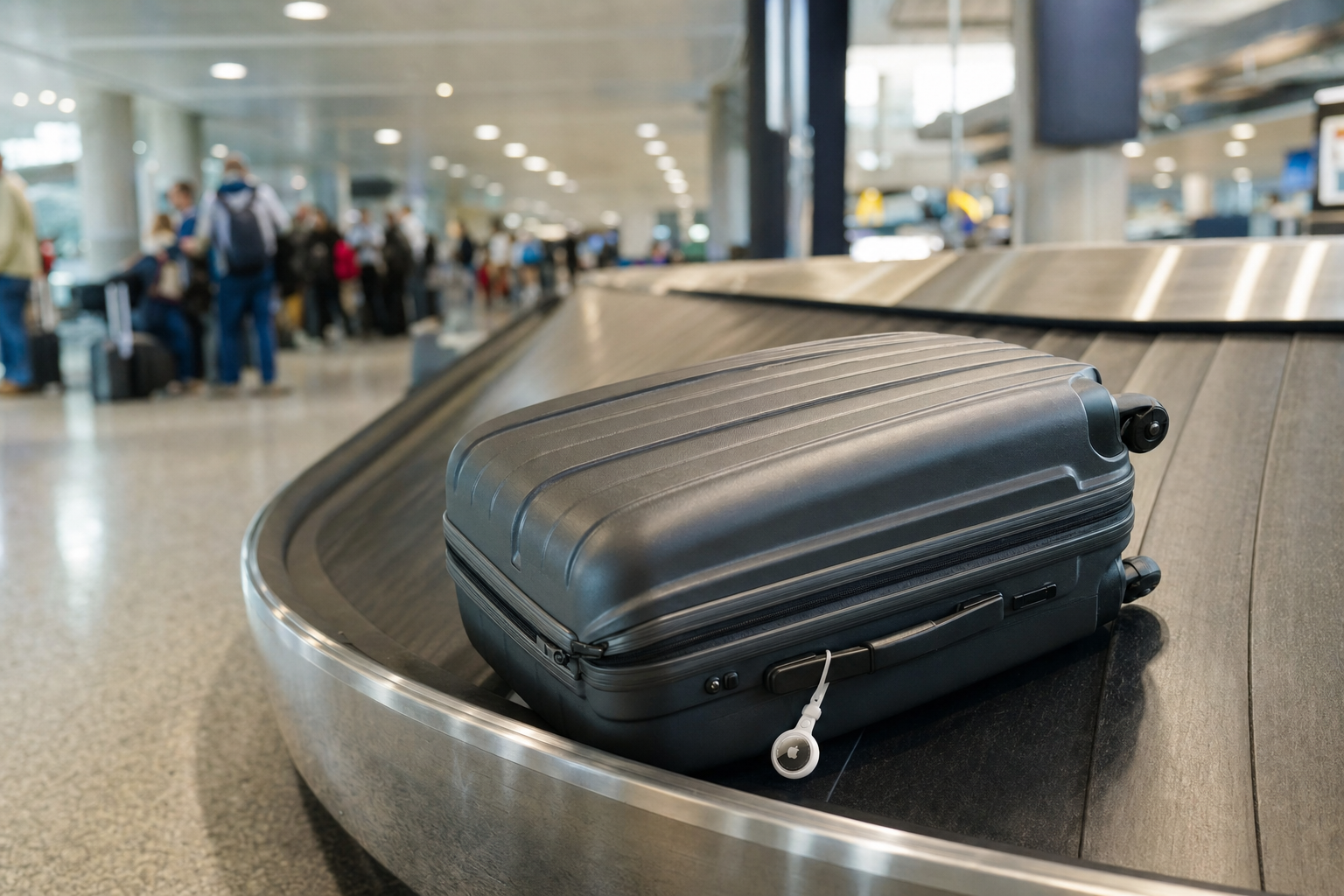
Put the AirTag inside a zipped interior compartment or closed pocket. This reduces the chance that it will be torn away or damaged during baggage handling. An AirTag attached to an outside handle or strap is more exposed to loss, impacts and conveyor equipment.
Before checking the bag:
- Confirm in the Find My app that the AirTag appears under Items and does not show a low-battery warning.
- Give it a clear name, such as “Black checked suitcase.”
- Place it in an interior pocket rather than leaving it loose among clothes.
- Avoid putting it inside a separate metal container, which can weaken its Bluetooth signal.
- Do not conceal it in a place that would require damaging the suitcase to retrieve it.
An AirTag does not have its own cellular or Global Positioning System connection. It sends a Bluetooth signal that nearby Apple devices in the Find My network may detect and relay. Its location can therefore update intermittently rather than continuously, especially in baggage areas with few nearby participating devices.
How to share an AirTag location for a delayed bag
Apple’s Share Item Location feature lets you create a temporary link to the reported location of an AirTag or compatible Find My accessory. Participating airlines can use the link to help trace a delayed bag. It does not give the airline control of your AirTag or access to your Apple Account.
Start with the airline’s delayed-baggage process. Follow the carrier’s instructions at the baggage-service office, in its app or through its online reporting tool. Reporting deadlines and procedures vary, so do this as soon as practical after you confirm that the bag is missing.
- File a delayed-baggage report. Keep the report or file reference number.
- Open Find My. Select Items, then select the AirTag in the delayed suitcase.
- Create a sharing link. Choose Share Item Location and follow the prompts.
- Copy the link. Do not post it publicly or send it through an unrelated customer-service channel.
- Use the airline’s approved submission method. Add the link to the delayed-bag form, tracking portal or app field specified by the airline.
For example, American Airlines lets passengers add an AirTag or Find My accessory link while filing a delayed-bag report. If the report has already been filed, passengers can sign in to the bag portal, choose Manage Tracking Device and add the link.
Delta asks passengers to report the delay at its baggage-service office first. Its Delta Bag Tracking tool then accepts the shared item link, the 10-digit bag-tag number and the trip confirmation number. The Fly Delta app may also show a Share Find My Item Location field in the delayed-bag form.
Item-location sharing ends when you are reunited with the item, when you stop it yourself or after seven days. Apple notes that you may be unable to create a link while the AirTag is close to the device used to create it.
Why you should keep the airline bag-tag receipt
An AirTag supplements the airline’s baggage-tracing system; it does not replace it. Keep the printed claim check or digital bag-tag receipt issued when the suitcase is accepted, and photograph or screenshot it in case the original is lost.
The receipt contains the bag-tag number that connects your suitcase to the itinerary and the airline’s baggage scans. The airline may need it to open or update a delayed-baggage report, add a tracking-device link, trace routing scans or process a claim.
An AirTag can help indicate whether a suitcase is still at the departure airport, at a connecting airport or near the destination. It cannot:
- Force staff to retrieve the suitcase immediately.
- Provide continuous, exact or real-time positioning.
- Allow a passenger to enter a restricted baggage area.
- Override customs, security, airline handling or delivery procedures.
- Replace a delayed-baggage report or required claim documents.
- Guarantee reimbursement or prove the value of the bag’s contents.
Continue to check the airline’s baggage-tracking system even when Find My shows a location. Keep receipts for reasonable essential purchases made during a delay, and review whether you may qualify for reimbursement or a baggage-fee refund under the airline’s rules described in When Airlines Must Refund a Delayed Baggage Fee.
Do not confuse an AirTag with smart luggage or a power bank. A smart suitcase with a larger removable battery generally must have that battery removed before the bag is checked. Power banks are treated as spare lithium batteries and must stay in carry-on baggage. See Can You Bring a Power Bank on a Plane in 2026 before packing a portable charger.
Before checking your suitcase, verify that the AirTag appears in Find My, photograph the bag and its contents, and save the bag-tag receipt somewhere other than inside the luggage.
Sources
- Federal Aviation Administration guidance on baggage equipped with lithium batteries
- 49 CFR 175.10 exceptions for passengers and checked baggage
- Apple Support guidance on replacing an AirTag battery
- American Airlines delayed or damaged bags guidance
- Delta Air Lines delayed, lost and damaged baggage guidance