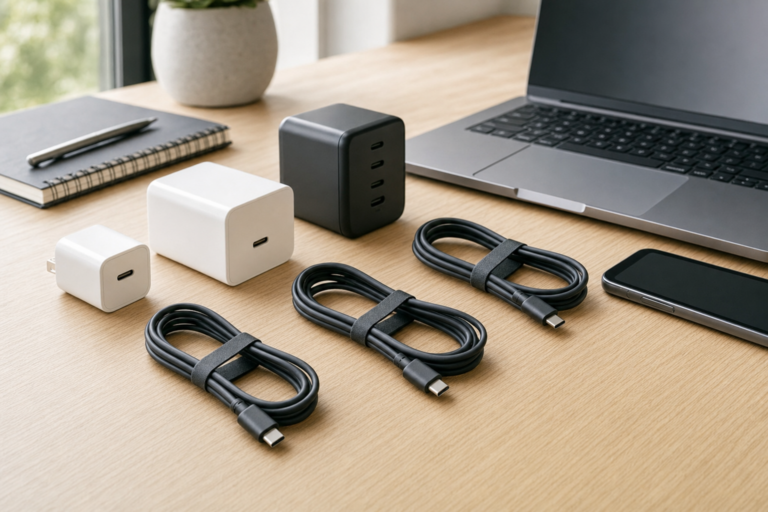
For most owners of a recent iPhone, this is no longer a choice between two separate technologies. Apple’s current MagSafe Charger is certified for Qi2 25W as well as Qi charging. Choose based on your iPhone’s maximum wireless charging speed, the charger’s confirmed certification, its required power adapter and the format that suits where you charge. A certified third-party Qi2 25W charger can offer the same maximum phone-charging capability in a stand, car mount or multi-device station, while Apple’s charger is a compact single-device puck.
Why Qi2 25W and MagSafe now overlap
MagSafe is Apple’s magnetic charging and accessory system. Qi2 is the Wireless Power Consortium’s industry standard for wireless charging. Its Magnetic Power Profile uses technology contributed by Apple, providing magnetic alignment between compatible phones and chargers.
The original Qi2 tier supported up to 15W. In July 2025, the consortium introduced Qi version 2.2.1 under the Qi2 25W brand, increasing the potential charging power to 25W. A charger can therefore be both MagSafe and Qi2 25W certified.
Apple’s current MagSafe Charger is listed in the consortium’s certified-product database as version 2.2.1 with the MPP25 power profile and 25W potential load power. It is also certified for ordinary Qi charging, which matters for older iPhones and compatible AirPods cases.
In practice, the meaningful comparison is usually charger design, certification and total power provision, rather than MagSafe against Qi2 25W. Apple’s charger is a simple wired puck. Certified Qi2 25W alternatives can be stands, car chargers, power banks and foldable stations.
Match the charger to your iPhone model
A charger marked 25W has the capacity to provide up to 25W; it does not make every iPhone charge at 25W. The iPhone and charger negotiate the available level. Charging speed can also drop when the phone is warm, the battery is nearly full, the phone is in heavy use or the power adapter cannot supply enough power.
| iPhone model | Maximum magnetic wireless charging | Buying advice |
|---|---|---|
| iPhone 18 Pro, iPhone 18 Pro Max and iPhone Duo | Up to 25W | A certified Qi2 25W charger is worthwhile for frequent daytime top-ups. Apple specifies a 35W or higher adapter for its MagSafe fast-charging benchmark on iPhone 18 Pro models. |
| iPhone 17, iPhone 17 Pro and iPhone 17 Pro Max | Up to 25W | Choose a certified Qi2 25W charger if faster wireless charging matters. Follow the charger maker’s stated adapter requirement. |
| iPhone Air | Up to 20W | A Qi2 25W charger can still be a sensible purchase, but iPhone Air is specified to receive up to 20W rather than 25W. |
| iPhone 17e | Up to 15W | A certified 15W Qi2 or MagSafe charger is sufficient unless you want a new charger for a future iPhone. |
| iPhone 16, iPhone 16 Plus, iPhone 16 Pro and iPhone 16 Pro Max | Up to 25W | Qi2 25W is a good match if speed matters. Apple specifies a 30W or higher adapter for up to 25W MagSafe charging. |
| iPhone 15, iPhone 14, iPhone 13 and iPhone 12 models, except iPhone 12 mini and iPhone 13 mini | Up to 15W | A certified 15W charger is enough for speed. Upgrade for a stand, station or future-phone compatibility rather than expecting faster charging. |
| iPhone 12 mini and iPhone 13 mini | Up to 12W | A 25W charger will not overcome the phone’s lower charging limit. |
| iPhone 16e, iPhone 11 and earlier, iPhone X, iPhone XR, iPhone XS and iPhone SE models with wireless charging | Up to 7.5W with Qi | Choose a charger that explicitly supports ordinary Qi charging. Adding a magnetic case or ring does not add Qi2 capability or increase the phone’s charging limit. |
Older iPhones need extra attention. Apple says its current MagSafe Charger can charge iPhone 8 and later, falling back to Qi charging where required. For a third-party charger, check its specifications and certified-product record rather than assuming that a 25W magnetic claim also covers older Qi-only phones.
Check the adapter, case and charger format
Use an adequate USB-C power adapter
Wireless charging is not lossless, so a charger providing up to 25W to a phone needs more than 25W of input power. Apple states that its MagSafe Charger can provide up to 25W when paired with a 30W power adapter. For a third-party charger, use the wattage and USB-C Power Delivery profile specified by that product’s manufacturer.
Do not assume that a wall adapter is included. For a multi-device station, the necessary input can be substantially higher than the maximum output of its iPhone pad. Check all of the following before buying:
- the maximum output of the iPhone charging position;
- the station’s total input requirement;
- whether the supplied adapter supports every charging position at the advertised output;
- how outputs change when an iPhone, Apple Watch and earbuds charge at the same time; and
- whether the Apple Watch position supports fast charging, if that is important to you.
Use a properly aligned case
A compatible bare iPhone has the magnets needed for MagSafe and Qi2 alignment. A thick case, a poorly positioned magnetic ring or an attachment between the phone and charger can reduce charging performance or prevent a secure connection. For a stand or car mount, use a case specifically designed for MagSafe or Qi2 magnetic charging.
Remove wallet attachments, metal plates, card holders and loose magnetic rings before charging. A stick-on magnetic ring may help an older phone stay on a magnetic mount, but it does not add Qi2 electronics, make the phone MagSafe-certified or increase its wireless charging speed.
Choose the format for where you charge
- Single puck: compact, straightforward and easy to pack, although the phone lies flat and a suitable wall adapter may be separate.
- Upright stand: useful on a desk and for StandBy, but less convenient in a bag.
- Multi-device station: tidier for an iPhone, Apple Watch and AirPods, provided its per-device outputs meet your needs.
- Foldable travel station: reduces cable clutter, but check its input requirement and take the appropriate plug adapter for your destination.
How to verify Qi2 25W certification
Phrases such as “MagSafe compatible,” “Qi2 compatible” and “works with Qi2” are not the same as certification. They may only indicate magnetic attachment or basic compatibility. The Wireless Power Consortium says certified products are tested for safety and interoperability and listed in its product database.
- Look for Qi2 25W certification. Check for the official Qi2 25W logo and an explicit certification claim.
- Find the exact part number. Colour variants and updated versions can have different charging hardware.
- Search the Wireless Power Consortium database. Match the brand, product name and manufacturer part number to its record.
- Confirm version 2.2.1. Earlier certified Qi2 products can be limited to the 15W tier.
- Check the power profile. For a 25W magnetic charger, the record should show MPP25. Some multi-purpose products may also list Basic Power Profile support.
- Check potential load power. A 25W transmitter record should show 25.0W, not 15.0W.
- Read the adapter specification. Confirm the required USB-C input and whether an adequate adapter is included.
- For a station, verify the phone pad. Certification of one charging component does not mean every pad provides 25W.
A certified 15W charger remains a sensible choice for overnight charging, iPhone 17e, iPhone 15 and earlier models, or anyone who rarely needs a rapid daytime recharge. Choose Qi2 25W when your iPhone supports more than 15W, faster top-ups would help or you are replacing a charger anyway. Before ordering, match the charger’s certification record, stated input requirement and individual-pad output to your exact iPhone and charging setup.